Wednesday, 26 April 2017

Redesigning our learning spaces part II


In teams of teachers and students, we have been working through a process of collaboratively redesigning some of our learning spaces.

This is a five week process using the Stamford Design Thinking Process.

Our five steps / lessons / stages are
1. Introduction to the Stamford Design Process
2. Revisit the Process focussing on empathy and creating a problem / challenge statement
3. Work in teams to ideate a new learning space
4. Prepare the presentation / pitch of the new learning space
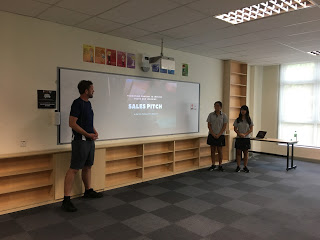
5. Pitch the learning space to a panel of peers and stakeholders

We have now completed stages 1 and 2 with most teams having created a challenge statement and sharing it on our shared Google Doc. The Challenge is to keep the energy flowing and the the good ideas bubbling to the top.


Week 3. Ideate a new learning space
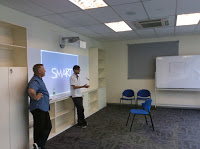
We started by recapping what it means to work in a team, or more accurately asking the teams what are some of the things that need to happen so that their team works effectively. We used this video to start the discussion comparing good teamwork vs bad.
We spent some time explicitly addressing the power dynamic, i.e. a teacher leading or being part of the group and how could we overcome this so that everyone in the team had equal input. We also again went over our three metaphors for learning spaces and reminded everyone to focus on empathy and really listening to what people wanted in a learning space.
I provided the teams with a heap of resources and encouraged the teams to add their own resources.
Some of the resources included
Videos of how other schools have changed their learning spaces,WAB, Shekou and this playlist.
Then there is this great Flipboard Magazine from Tricia Friedman at UWC

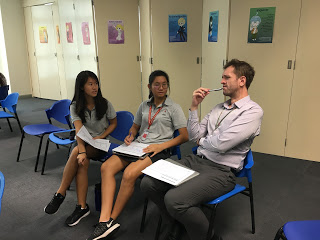
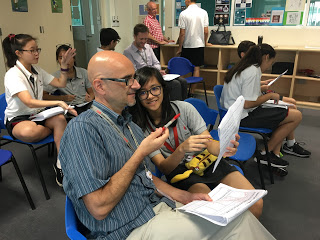
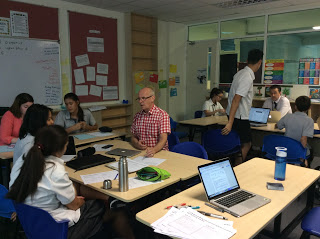
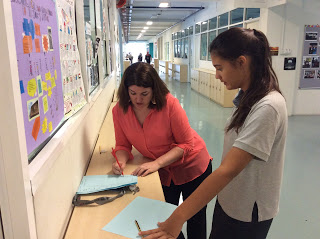
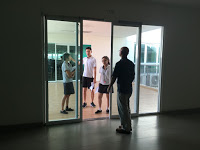
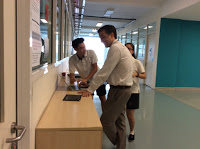
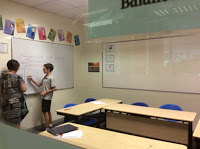
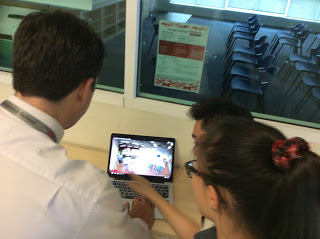
Then it was time to work ideate, teams started exploring, playing and listening. I would have loved to be a part of every conversation and discussion. I did get the chance to flitter between groups and loved what I was hearing.


One group completely changed their plan for the science corridor after speaking to the science teachers. They wanted worm farms and other live animals, but they didn't think about who would look after them, now they want fish and plants, low maintenance and they clean their own tanks. It was so refreshing to see teachers and students listening more than they spoke.


I have a feeling the results are going to be great
Week 4
Preparing the pitch
We had plans to bring in an expert on presentations and share something presentation zen like, giving our students some tools and ideas. We ran out of time and to be honest couldn't find the right expert. Looks like we will just have to trust that our teachers and students have the right stuff when it comes to a Steve Jobs Style pitch.


We also wanted to maximise the time that the teams had working ideating their redesigns. We also guided / suggested / instructed the teams that they would want to probably meet again before next weeks Shark Tank.

Every team was so into the process that they were happy to meet in their own time, even after school and this is in a busy time of the school year, exams, athletics etc.

We have had lots of positive feedback about the process and most of all students and teachers appreciate being listened to, the big challenge will be to ensure that once we get these great ideas that something actually happens. It would be a disaster if all this collaboration and listening didn't lead to action.

Next week the Shark Tank, where our teams pitch their ideas to a group of critical friends.

Monday, 17 April 2017

Redesigning our Learning Spaces

Our Learning spaces at IGBIS need an update
 Even though we are a new school many of our classes still look like a classroom from 20 years ago. We don't have any really innovative teaching spaces. Some of our rooms including the library and art room are very cool, functional and flexible. 


Some of them are just plain drab and boring.

Learning spaces are something I have been thinking about a lot lately.  I have lots of ideas, I read lots of articles and have visited (and photographed) schools with innovative and cool learning spaces. hopefully we can  move forward with getting some 21st century learning spaces at IGBIS. The new boss is very receptive to looking at our learning spaces, after chatting with him we thought any redesign should be a collaborative process, including all stakeholders.  The challenge was how to go about collaborating to plan new learning spaces.

I attended a workshop at Learning 2 last year led by Victor Boulanger on using the Stanford Design Thinking Process in schools to solve problems. I also attended a session at Deep Learning (KL) on using the Design thinking Process to design curriculum. I also would have liked to attend this session by Sarah Phoenix at Deep Learning on learning spaces, but circumstances didn't allow it. While talking to a few people at school, we thought we would try using the design process with a group of students and teachers to plan some new learning spaces.

We invited interested staff and asked them to nominate two students each to form a working teams to redesign a learning space in the school. It could be a classroom, hall way or common area. We sold the process as a brainstorming process that could actually happen. We then planned out five sessions / workshops / working times

1. Introduction to the Stamford Design Process 
2. Revisit the Process focussing on empathy and creating a problem / challenge statement
3. Work in teams to ideate a new learning space
4. Prepare the presentation / pitch of the new learning space
5. Pitch the learning space to a panel of peers and stakeholders

These sessions are to be held during school lesson times and after school.

So far we have completed part 1 and 2

Session1
I gave a bit of content on what to look for when thinking about learning spaces including the three metaphors for learning spaces
For a more detailed explanation see this document from Thornburg campfires in cyberspace

Then using the crash course guide from the Stamford Design Process website, we worked through this document  in pairs with participants designing a new learning space. Participants had to pair up with someone who was not from their team.

It worked really well, this is the second time I have used this crash course with staff and the first time I used it with students, both time I was impressed with the response from the participants. I empathised the importance of the empathy stage multiple times. 


People really like being listened to and having just 3-4 minutes of someone really listening to you and focusing on your wants and needs is very empowering with lots of positive feedback from teachers and students.

We didn't finish the design process (we ran out of time) but the participants had a good introduction and got a feel for what was coming up.

Session 2
Revisit the Process focussing on empathy and creating a problem / challenge statement

Here we split into our teams one teacher and two students per team and used the same document to work through the design process.

We then revisited the three metaphors for learning spaces.
Each team chose a learning space that they wanted to change, they worked through the first two steps of the Design Process, Empathy and Define.

Here teams interviewed each other and then chose a few other people (outside of the team) to interview with the intention of really empathising with the client (person they were interviewing). We gave them a list of open ended questions and emphasised the point of telling stories and listening. They then had to generate their problem / challenge statement and bring it to the next session.
This was a shortened session, but there was a lot of passion and energy once the teams finally picked a learning space (one team we had to guide and offer suggestions for their learning space). We could have done with more time but teams really started to get a feel for what sort of things   

Next week we will be researching and working in our teams to start designing our new learning spaces.

We have made lots of progress and the design process is working well, it gives us a structure and a way to collaborate where everyone is an equal (can sometimes be hard when students work with teachers) and gives us focus for our end product.


Tuesday, 15 November 2016

Teaching Staff how to be different

Staff Differentiation Workshop

Friday a call goes out that we need some more presenters for some differentiation workshops next Tuesday. My plan was to attend some PD from other staff rather than lead it.

Oh Well you do what you need to do.

A quick rush job was needed..... Differentiation (not the algebraic kind) is something I think I do pretty well, but what tech angle could I use to tackle it?

The more I though about it all I really wanted to do was to model differentiation rather than lecture for 50 minutes, so it really didn't matter what tools I used. I have heard so many teachers complain that they had been to PD or sessions on differentiation that were not differentiated......

I chose to create a Hyper Doc with two different streams on investigation that the teachers could work through.


We started by doing a directions quiz A bit like this one  This is something I like doing with students to highlight the importance of following directions correctly. It also works with teachers.

I then introduced the Hyperdoc and explained how it worked. The teachers all had to do the first task, which was an Edpuzzle (Edpuzzle allows you to add questions, commentary and notes to any video) lesson on using differentiated instruction to support all learners .

Once the teachers finished the interactive lesson they could then explore and choose any of the activities on the Doc. One side of the doc allowed learners to explore Ed Puzzle and the other side allowed them to explore Hyperdocs. The teachers could pick and choose the activities they were interested in, they wanted to do or they needed to. This allowed teachers to work at their own level, their own speed or how they wanted (individually, groups) it was completely up to them. 
Hopefully modelling a way to differentiate in their classes


The whole process worked, with lots of positive feedback. The most interesting part was the teachers who didn't like having to be learners. I encouraged everyone to press buttons, find the help section, Google questions and just try things. 

Some people just couldn't, they constantly asked for help 'What do I press?' 'How do I do this?' 'Where are the video?' It took a lot of patience and self control to calmly point to the section of the screen with the big question mark. Students can be a lot easier to teach.

I realised that this sort of PD is something that we need to do more of, not only do students need to know how to learn and find answers for themselves but so do teachers, and parents and office staff. Like anything the more they do it the better they will get.


Wednesday, 19 October 2016

Breakout


Wow, what a breakout year it has been (excuse the pun).

It was only this time last year that I first attended a breakout.edu session at the KL GAFE summit. I had heard about escape rooms, I was even invited to have a go (if only I didn't have small children). I love puzzles and challenges so breakout.edu was worth a look.

Wow, it was an instant hit, I love it and loved the possibilities. There was so much potential to use it in any subject area.

My challenge was, how was I going to introduce it to IGBIS? It ended up being easier than I thought, we had a small team of dedicated teachers who had the same breakout experience as me. They were just as excited as me and together we vowed to give it a go. We got some locks and boxes, we started putting together our own breakout kit.


One teacher +Steven Harvey started doing it with his grade four class, once again an instant hit. The kids didn't solve their first breakout but they loved it and they and the teacher learnt so much about teamwork.

Next I helped another teacher plan and modify a simple machines breakout with a grade one class. It was exciting to prove that even 6yr olds could work together and solve puzzles and problems.

To give the staff a breakout.edu experience I developed and ran a quick 15 minute breakout and hosted it five days in a row at lunchtime in a small room off the staffroom.

That way people could come when they didn't have duty or had a spare lunch break. Five lunches the same breakout every day. Completely voluntary and lots of fun. A third of the staff attended these lunchtime breakout sessions.

Then we went online (like our own version of the breakout.edu homework). I developed an online breakout using Google Forms. The questions were compulsory and used data validation so the participant couldn't progress until they got the code correct

On Monday I posted it on the daily notices and let the teachers try and work it out on their own. It didn't take long for teams to self organise and work together. Groups of people were seen sitting around a computer in the lunchroom trying to solve a nasty difficult puzzle. Yep some ingenious nerdy types worked out how to hack the Google form but that didn't matter, we were all learning as we went. I learnt how to hack a Google form

Then is started, teachers in secondary started doing breakouts for all sorts of subject areas and the elementary teachers kept on breaking out.

I saw or was part of

  • a just for fun breakout session with grade 4 
  • a transition breakout for grade 5 to get them ready for secondary school
  • a grade 6 cyber safety breakout 
  • a grade 11 Psychology breakout
  • a grade 1 breakout that was part of a field trip learning about maps. 
  • grade 8 maths breakouts
  • a staff breakout for new teachers to introduce them to the systems we use at school
Teachers borrowed the gear to take home and host breakout birthday parties.

As more people used the gear, more people purchased more locks and boxes, different types of locks. People found interesting puzzle and code sites. The breakout beast grew and grew.

We have had cooperative breakout lessons, competitive breakout lessons and soon parent breakout lessons.


The best thing about breakout is that the students have to work cooperatively and independently and the teacher has to get out of the way and let the learning happen. Some of them even get an understanding that learning can happen without them up the front lecturing all the time.


I have presented breakout.edu at learning 2, at the Aims conference and will soon be presenting it at the Deep learning conference.

I love Breakout.edu,
I love the way it

  • turns learning on it's head
  • makes students self organise and problem solve
  • forces the teacher into the background as an observer
  • allows kids to reflect on their learning and their team work
  • gives students the opportunity to think laterally
  • is lots of FUN


Thursday, 25 August 2016

How we do Activities (the 2016 version)

The way we have been running our school activities and athletics has been evolving over the past two years.

We started with a paper system in 2010 but quickly started using Google Forms, Sites, Docs and Sheets.

Since then we have learnt a bit (A LOT) and made a few changes, used a few different apps and add ons, improved some things and simplified others. We have new staff, some staff have left. Our process isn't perfect and it still has scope for improvement. It seems like this little project will always be in beta, which is fine, better than fine, it is important to always be in beta.

So what has changed? How are we doing things now and how are we going to do things in the future?

We still have an activities Google Account 'activities@igbis.edu.my' that all sites, forms and documents are created through. That way the resources are not tied to a teacher but to a role. It also means any emails that are sent are sent from activities@igbis.edu.my. We forward all emails sent to this address to our actual activities coordinator. This has been very useful because in three years we have had three different activities coordinators and this year the role has been shared.

We still have our activities Google Site which has now also turned into out activities and athletics blog


We still have a page with all the activities and sign ups using a Google form embedded into the page.

How has the process changed?

This is what we do now.

1. two to three weeks before student and parent sign up, teachers fill out a Google form letting the activities coordinator know what activities they want to be a part of. The activities coordinator uses this information to create the student / parent Google form sign up. They also use the data 'using the save as doc Google sheets add on to create a list of all available activities. This list is posted on the site as an embedded Google doc, that can be modified

The site is sent to parents and is available on our school splash (launch page) which is available from the school website.


2. The Google form is embedded on the Activities site and students (secondary) and parents (elementary) can sign up for their activities. Each day and time (morning, lunchtime, afternoon) has a drop down menu to prevent students from signing up for multiple activities on the same day. For a while the form had four pages (one for each section of the school) this made sorting the data complicated. We now have two pages (Elementary and Secondary). Next we will probably go back to one and make sure we are careful about how we name our activities on the Google Form.

3. We used to use Ultradox trigger to automatically generate emails to the students and parents, now we use 'Form Mule' to automatically generate the emails. It is free, easier to use and allows us to send more emails per day (up to 1500).

4. The form has two pages, one for elementary activities and one for secondary. There are also multiple options on days with before school, lunchtime and after school activities. To generate a summary of what each student signed up for on each day I used the concatenate function in Google Sheets
This gave us a nice summary column for each day which made the email to parents and students easier to create. We have a one page template which contains a table.

It is very important that we are careful and deliberate about how we name the activities. If the activity is in both secondary and elementary they must exactly the same name. If an activity is on multiple days this needs to be indicated in the name (usually the day of the week in brackets after the name "swimming (M)". We also need to label paid activities. All of this labeling is very important when we start sorting and organising the data.

Warning from now on some parts can get a bit tech heavy. This link takes you to an example Google Sheet where you can play along or copy formulas.

5. In Elementary the parents sign up themselves, so they know what their children have signed up for. 

In Secondary the students sign up and we wanted a way to let the parents know what their kids have signed up for. In the past we asked students to add their parents email address, this was problematic because there was no consistency with email addresses (people didn't use their school email) or the email address was typed incorrectly. 

To solve this problem we used the VLOOKUP function, I have another google sheet (downloaded and modified from Managebac) with the student email addresses and parent email addresses. The function below will search my other sheet 'list of parents and students' looking for the student email address (this came from the form automatically as the students had to be signed in to complete it) it then returns the value next to the student name (which is the parent email addresses)
Then I use the concatenate function to combine the student email address and the parent email address into a single value in a new column. The comma allows multiple email addresses to be used at once.
This new value is then used by Form Mule as the email address to send the personalised email to. This personalised email uses the data from step 4 in a table to give the students and parents a summary of what has been signed up for.

Form mule is then set up to send the email on form submit.

Students sign up via the form and an automatic email is sent to them and to their parents letting them know what they have signed up for.

Organising the data

6. Once the sign ups have closed, the activity coordinator then needs to organise the data and decide what activities can run and what can not.

We used to use a query to send the data to a new sheet, we still do this to generate a list of students who need bus transport

Making 50 new sheets for each activity is time consuming, so now I

use this Array formula function to generate a list of unique values from my form responses, which is a list of all the activities that have been signed up for.

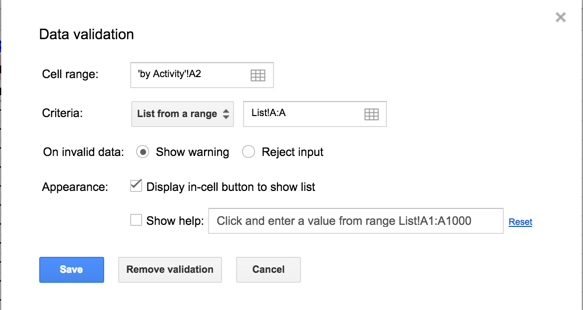
Then using data validation I create a drop down menu in a new sheet

I then set up the new sheet with the headings I want.

Using this following formula combines a query with the drop menu, so now you have an interactive list where you can select the activity and then it returns a list of all student who signed up for the activity. Decisions can be made about the activity runs or if extra space or staff are needed. It is interactive and updates as new responses come in (if the form is still open and sign ups have not closed)


The activities coordinator can then copy and paste (making sure to paste values only) to a new sheet to create any list of students signed up for activities that he or she likes.


We then do the same thing for grade level so teachers or admin can search for students in their grade and see what they signed up for.

An example spreadsheet with all the formulas can be found here so you can copy and paste and create your own magic.

Sending out a final confirmation email (and invoices)

7. If students need to be removed from activities because the activity is not running, they change their mind or the activity is  over subscribed, they can be taken directly out of the original form responses sheet. This then creates our master list of all activities that are running.

This master list than then be used with the above drop down menus to make an interactive list for teachers.

The coordinator drafts an acceptance email that tells students and parents which activities they have been accepted in and any fees they have to pay (for paid activities). This includes links to sport websites, agreements or attendance guidelines.

We have some paid activities and the email acts as our invoice. To generate the amount students need to pay I copied the list of activities and then did a find and replace to replace the name of the activity with the amount, then by summing up the amounts we had a total column.

When then use Form Mule again using the acceptance template to send out the final acceptance email. This time we use the send conditions and have two separate templates. One for a student who has paid activities and owes money (condition is total amount column is null) and one for students who don't have paid activities (condition is total amount column is not null). This allows us to personalize the email even further.

These emails can be sent in bulk rather than being sent on form submit with the press of a button.

8. The activities coordinator then created attendance lists in Google Sheets (by copying and pasting from the drop down menus) and shared this with all staff and put it on the activities website (in the past we asked staff to create their own) that way anyone who has viewing or editing rights can see at a glance who is at activities.

Teachers are encouraged to make a repeating calendar event with a link to the attendance sheet. That way they get a pop up reminder (on their computer / iPad / Phone) that reminds them they need to take attendance with a direct link to the attendance sheet. One click and they are ready to take attendance.

We haven't used the awesome table on the site any more because we now have the interactive sheets and they weren't used that much.

https://commons.wikimedia.org/wiki/File:Thats_all_folks.svg

We have improved and changed how we do activities but we still have room for improvement. I am really happy with the way the process has evolved and survived three different coordinators.

The three major changes from 2010 are
  • using Form Mule instead of Yet another Mail Merge, 
  • the introduction of email invoices and interactive sheets
  • automation of adding parent school email addresses to the student email addresses in secondary. 

In my last post there were a few things I wanted to change

here they are in blue below

Some improvements that we already know we need / want include
  • parent Google accounts to allow them to log into our domain (Done)
  • links on the school web page / creation of a splash page for students / staff / parents (Done)
  • a workflow / diagram so all parties know the procedures including dates for each stage of the process (Done, this blog post?)
  • a streamlined attendance function (Maybe, still some work to do)
  • an automated email gets sent to the activities coordinator when students are marked absent. (Not yet)
  • a way for students / parents to find out what activities they have signed up for (Not yet, maybe we do need the awesome table although we don't want parents to see other kids activity sign ups)

The other improvements we still want to see include

  • a drop down list for bus locations
  • a simple form (a single page with no repeating questions) to make the sorting of data easier
  • generation of email lists so teachers can easily email all the students in their activity
  • a link in the email allowing students or parents to modify or edit their sign ups (so they can do it themselves.